




Developers fixing accessibility issues directly in code need something different from what most of this site covers. They need a tool that plugs into a build pipeline or an editor, gives precise, actionable output tied to a specific element, and doesn’t try to paper over problems with a runtime script. We narrowed this list to three tools built for that job, and left widget vendors out entirely.
How we ranked these
We looked at how directly each tool serves a developer workflow: CI integration, precision of reported issues, and whether the tool helps fix code rather than just flag problems for someone else to interpret. We deliberately left Wawsome and other widget vendors off this list. Wawsome’s product is a script-tag widget with monitoring and a manual checker layered on top, aimed at site owners who don’t want to touch code, which is a legitimate and different use case, but not a developer testing tool, and it would be misleading to rank it as one.
-
The clear leader for developer-facing testing: axe-core is the open-source engine underpinning much of the industry's automated accessibility testing, and Deque's own axe DevTools and axe Monitor build CI-ready scanning, guided manual testing and continuous monitoring on top of it.
View pros & cons
Pros
- axe-core, the free open-source engine Deque built and maintains, has been downloaded billions of times and underpins many competitors' own scanners
- Broadest standards coverage of any tool reviewed here: WCAG 2.0 through 2.2, Section 508 and EN 301 549, plus deep involvement in W3C standards work
- Reviewers report a very low false-positive rate compared to other automated scanners
- CI/CD and IDE integrations let engineering teams catch issues before code ships, rather than only after launch
Cons
- No consumer-facing overlay widget, so it doesn't offer the quick, no-developer-needed fix that widget vendors sell
- Pro and Enterprise pricing is not published; reported per-developer seat costs (roughly $1,250/yr for Pro, per third-party trackers) can add up for larger teams
- axe Monitor and axe Auditor are sold as separate line items on top of DevTools, adding cost and complexity
- Automated testing (including axe-core) only catches a minority of WCAG issues by design; full coverage still requires the paid manual-audit services
Starting at axe-core: free (open source). axe DevTools Extension: free tier available, with a Pro seat reported by third-party pricing trackers at roughly $1,250/yr per developer. axe Monitor and full axe DevTools for Web/Enterprise pricing is not published - contact sales
-

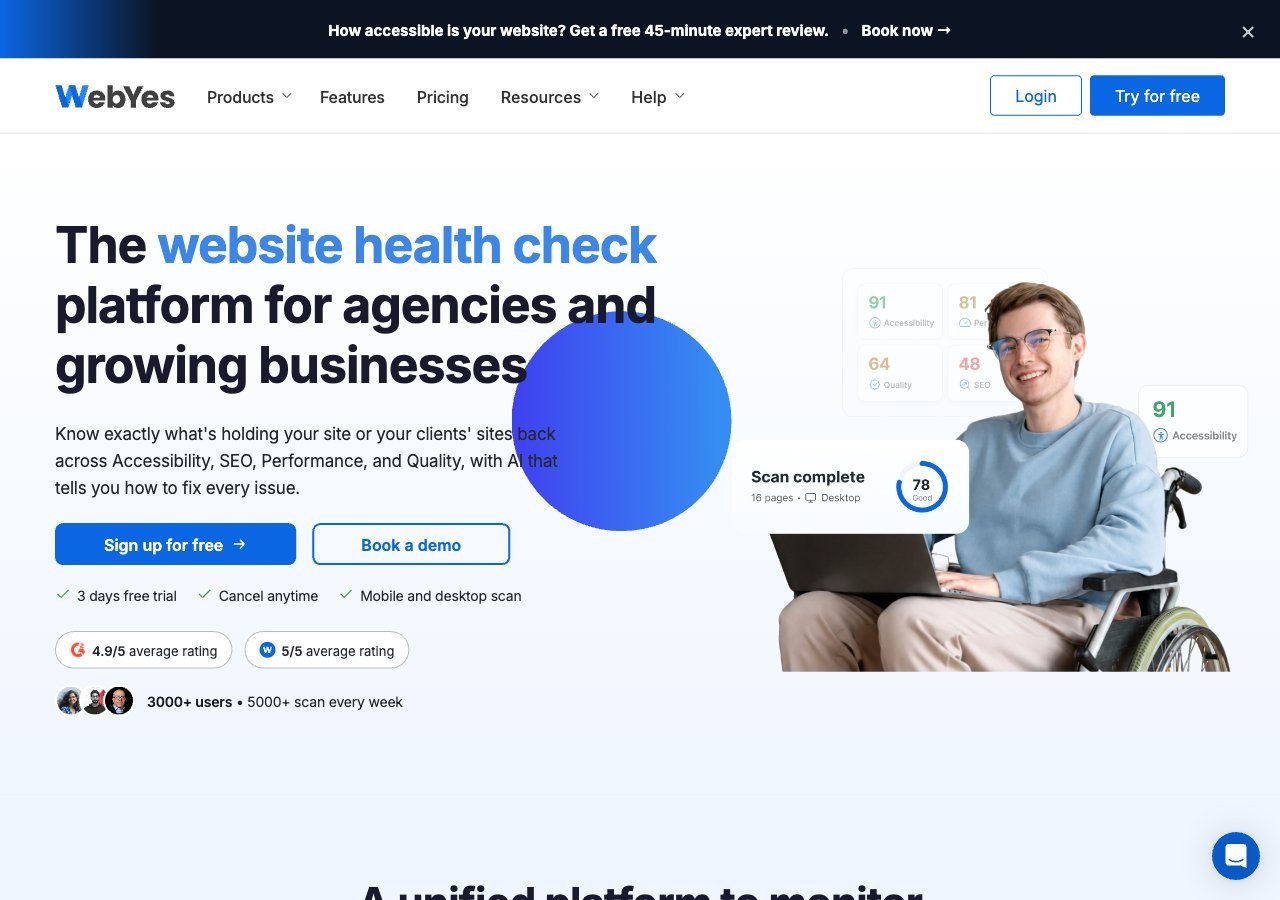
A genuinely useful WordPress-specific option: an automated checker plugin plus a browser extension aimed at finding and fixing issues in templates and theme code rather than masking them with an overlay, useful for developers working specifically in the WordPress ecosystem.
View pros & cons
Pros
- Publishes exact pricing including a genuinely free tier, unusual transparency among audit/scanning tools
- Openly critical of overlay-only remediation and pushes users toward code-level fixes rather than masking issues
- Single platform covers accessibility, performance, SEO, quality and uptime scanning rather than accessibility alone
- WCAG A/AA/AAA coverage on paid tiers plus Jira integration for tracking fixes
Cons
- No overlay widget or automated remediation layer, so fixes require developer time rather than an instant script fix
- Scan-credit-based pricing (10 credits free, 700+ on paid tiers) can be harder to budget against than flat per-site pricing
- Much smaller and less independently reviewed than established accessibility-specific vendors like Deque or AudioEye
- Enterprise-grade Scale-up tier pricing is not published and requires a custom quote
Starting at Free plan available (10 scan credits, single domain); paid WebYes Accessibility Pro plan is $29/mo, Enterprise is $50/mo, with custom Scale-up pricing above that
-
Less a developer testing tool and more an enterprise document and consulting service; it's on this list for its expert-led manual audits and VPAT documentation work, which some engineering teams rely on alongside their own code-level testing, but it isn't a CI-integrated scanner in the way the other two are.
View pros & cons
Pros
- One of the largest dedicated PDF and document remediation operations, with a long track record in higher-education and public-sector accessibility work
- Combines large-scale human remediation with a newer AI-assisted PDF remediation product (launched 2025) rather than automation alone
- Offers a free trial of its CommonLook PDF software for teams that want to remediate documents in-house
- Broad standards coverage including PDF/UA, a standard many widget-only vendors don't address
Cons
- No pricing published anywhere on its site; per-page and per-project costs must be requested from sales
- Per-page, variable pricing can make total cost hard to predict for large or ongoing document volumes
- Geographic focus is primarily North America, with less presence in EU-specific programs than European rivals
- Positioned as a document/PDF specialist rather than a full website widget or continuous monitoring product
Starting at Pricing not published - contact sales; a free trial is available for the CommonLook PDF software line
Why Deque leads by a wide margin
axe-core isn’t just Deque’s product, it’s close to a shared standard: a large share of the automated accessibility testing that happens across the industry, including in tools built by other companies, runs on the same open-source engine. Deque’s paid layer on top of it, axe DevTools for editor and CI integration and axe Monitor for scanning at scale, is built specifically for engineering teams that want precise, actionable findings rather than a general compliance dashboard. For a developer-first accessibility testing tool, there isn’t a close second on standards pedigree.
WebYes for the WordPress-specific case
If your development work is specifically inside WordPress, WebYes solves a narrower but real problem: its plugin and browser extension are built to catch issues in the templates, themes and plugin stack that make up a WordPress site, and its whole positioning is explicitly against fixing things with an overlay instead of in code. It’s not a general-purpose CI tool the way axe DevTools is, but for WordPress-only teams it’s a genuinely useful, purpose-built option.
Where Allyant fits, and where it doesn’t
Allyant earns a spot here for its expert-led manual audits and VPAT documentation, which engineering teams sometimes need alongside their own automated testing, particularly for enterprise procurement processes that require formal documentation. But it isn’t a developer tool in the sense the other two are: there’s no CI plugin, no editor integration, and it’s not designed to sit in a build pipeline. Treat it as a complement to Deque or WebYes for formal audit and documentation needs, not a substitute for either.
What automated testing catches, and what it misses
It’s worth being precise about the limits of any automated tool on this list, including axe-core itself. Automated scanners reliably catch things like missing alt attributes, insufficient color contrast, missing form labels, and invalid ARIA usage: issues that can be verified programmatically against a rule. What they consistently can’t verify is whether an interaction actually makes sense: whether a custom dropdown announces its state correctly to a screen reader, whether a modal traps and returns focus properly, or whether the order content is read in matches the order it should logically be understood in. Only a minority of WCAG success criteria can be reliably evaluated by a rules-based scanner at all; a meaningful share genuinely requires a person testing with real assistive technology to judge. That’s not a knock on Deque, WebYes or axe-core specifically, it’s a limit of automated testing as a category, and any tool that implies otherwise should be treated skeptically.
Fitting these into a real workflow
The most effective setup we’ve seen combines automated testing early and often with manual testing at meaningful checkpoints. axe DevTools or axe-core run in CI can catch a large share of regressions before code merges, cheaply and repeatedly, which is exactly what an automated tool is good at. WebYes plays a similar role specifically for WordPress template and plugin changes. Neither replaces a periodic manual pass, ideally including someone who actually uses a screen reader or other assistive technology day to day, on new or significantly changed features, particularly custom components that don’t map cleanly to a native HTML element.
Getting started without disrupting a pipeline
Teams new to accessibility testing often worry that adding a CI check will block every existing pull request on day one. A common approach is to add the scanner in report-only mode first, see what surfaces on the current codebase, fix the highest-impact issues over a few sprints, and only then turn on hard failures for new violations going forward. axe-core’s rule set is granular enough to support that kind of staged rollout, and it means the tool improves the codebase gradually rather than becoming a blocker the team immediately routes around.
A shared component library changes the math
Teams building on a shared component library get outsized value from developer-focused testing tools, because fixing an accessibility issue in one shared button, modal or dropdown component propagates to every place that component is used, rather than requiring a page-by-page fix. Running axe DevTools or a similar scanner against a component library’s test suite, in isolation from the full application, tends to catch structural issues earlier and cheaper than waiting for them to surface on a live page. This is one of the clearer arguments for investing in developer-facing tooling specifically, rather than relying solely on a widget layer: a fix made once in a shared component benefits every page that uses it, going forward, without needing a runtime script to patch each instance individually.